Download Feature: Richly Formatted Report, and Unformatted Raw Data
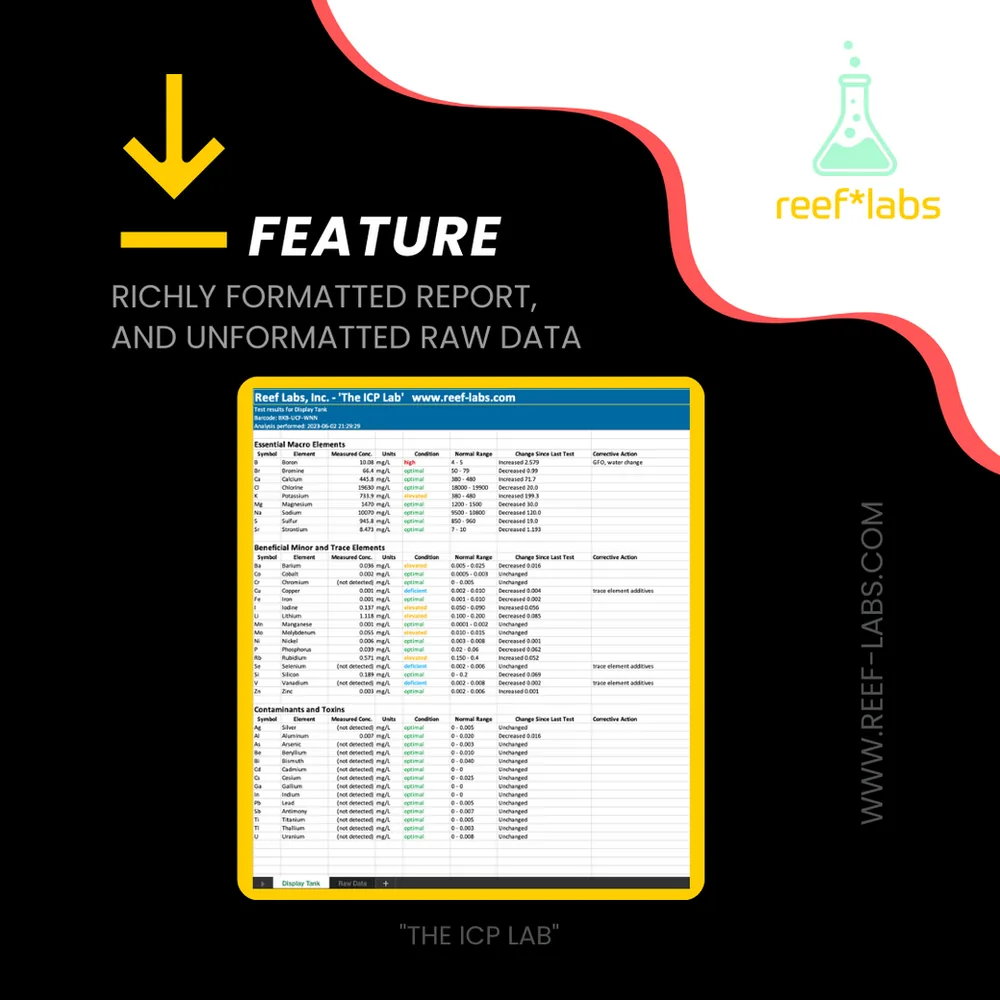
One feature that has been more frequently requested by our customers is the ability to download ICP test results from the Reef Labs user portal. Since we launched the website, we have received a variety of different requests covering a wide range of use cases. The variations in these requests are why we haven’t introduced this feature until now. We always try to understand how you, our customers, are using the data we provide in test results and how you interact with the user portal so we can provide a service that is pleasant to use and yields practical results. After speaking with many of you, and gathering much valuable feedback, we felt we understood the need well enough to design and deliver a results download feature that would meet your needs while not compromising the depth of data that we provide in our test results.
We are pleased to announce that the download feature is now available for use on the test results portal!
The downloaded reports are provided in Microsoft Excel format so that we can preserve much of the formatting that enhances the utility of the reports while not losing the flexibility for you to accommodate a wide range of other uses for the data. In addition to the richly formatted report, we also provide a sheet with the unformatted raw data in the same Excel workbook download. If you’re interested in importing your raw data into a different Excel workbook, or even another software application, the raw data sheet provides a convenient path to export the raw data in a format easily consumable by most software applications.
And if you want to download all the results for a particular aquarium, you’re in luck. From the ’Sample Sources’ tab in the user portal, you can download all the results for any of your sample sources into one Excel spreadsheet where each test is presented in its own sheet ordered by the date of analysis. Likewise, the raw data sheet provides all the raw data for each test result in one place where you can further manipulate it in Excel, graph it using Excel features, or export it for use in the application of your choice.
We hope you enjoy this new capability. As always, we would love to receive your feedback and hear how you are using this new capability.
Written by
Reef Labs Team
Related Articles
What Do I Achieve With ICP Testing for Saltwater Aquariums?
Vitamins and minerals: important for bodies and corals. Do you believe that our bodies require, among many others, vitamins, and minerals to function properly? Are you aware of the help that vitamins and minerals give to your body to repair cellular…
What Do ICP Water Tests and Smoke Detectors Have in Common?
We are literally surrounded by alarms, alerts, sounds, flashes of light, icons, badges, and messages from an omnipresent orchestra of devices that have become almost inseparable from our daily lives.
How to Read the Results of Your ICP-OES Water Test from "The ICP Lab"
While we will be the first to admit that we love to dive deep into the details of ICP-OES analysis of seawater just for fun, we don’t lose sight of the fact that ICP-OES testing is an important part of reaching your reefing goals and a valuable tool…